This page is created in connection with ALTEC

You can visit the FLTP website at: https://altec.colorado.edu/fltp/

Thursday, September 13, 2012

OER Workshop, September 18th and 19th 2012


OERs: Don't Reinvent the Wheel!
Open Educational Resources (OERs) are instructional materials that have been created by other teachers and educational institutions with the intention of sharing and public use.

Come learn how to harness these resources for your own classroom use! The workshop will provide an overview of OER repositories, then we will brainstorm how to effectively use these resources in our classes. We will also discuss other important issues relevant to Open Education such as the responsible sharing of materials and teacher identity in this evolving landscape.

Workshop Information:
Hellems 145
Tuesday, September 18th 3pm-5pm
OR
Wednesday, September 19th 10am-12pm

To sign up for this workshop: http://altec.colorado.edu/fltp/index.shtml

This workshop will be a great introduction for the FLTP's fall 2012 guest speaker, Christopher M. Jones who will be presenting on his work with Carnegie Mellon's Open Learning Initiative on October 9th (12-1pm) in Hellems 145.

Email Courtney.Fell [at] colorado.edu with any questions or problems!

Tuesday, September 4, 2012

Introduction to the FLTP, September 4th and 5th 2012

This week marks the beginning of the FLTP workshops for the Fall 2012 semester. As always, we will start the year with one of the two required FLTP workshops, "Introduction to the Foreign Language Technology Program". Come to learn more about the FLTP and the world of foreign language technologies.

To enroll, please visit http://altec.colorado.edu/fltp/index.shtml and email Courtney.Fell [@] colorado.edu with questions or problems!

Here is the Prezi for this workshop:


Wednesday, June 20, 2012

On break

Edwige and Courtney will be out of the office for July. 

We are excited to get the FLTP and the K-12 FLTP up and running again for the fall of 2012.  Please stay tuned to your email come mid-August for the FLTP fall scheduling preferences email and then later the FLTP fall calendar. 

Thursday, March 22, 2012

FLTP Portfolio Intensive, April 21st and April 28th

There is a small change in the dates for the portfolio intensive sessions this spring.

The dates have been moved from April 28th and May 5th to April 21st and April 28th.

For information about the portfolio requirements, please visit the FLTP website here.

Tentative schedule:
Hellems 145
Saturday, April 21st
Notes from Saturday April 21st (including portfolio comments and Anne Becher's workshop)
8:30 to 9:00am: Breakfast and introductions
9:00am to 10:00am: Introduction to Portfolio Design (we'll look at examples, discuss content & purpose)
10:00am to 10:30am: Paper prototype (you will outline the structure of your portfolio structure on paper and receive feedback on the organizing scheme)
10:30 to noon: WordPress workshop (you will create your blog site, the menu, the pages and subpages)
Lunch break (30 min)
12:30pm to 2:00pm: Participants continue building their portfolio
          Photo shoot (optional/if the weather allows it). Those who need it will be offered the opportunity to have their picture taken (to include in your portfolio)
2pm to 3:30pm: Teaching philosophy workshop with Anne Becher (Spanish department)

Saturday, April 28th
Notes from Saturday April 28th (including notes from Annie Piatt's Resume Workshop
8:30am to 10:30am: Resume workshop with Annie Piatt from Career Services
10:30am to 11:30am: Presenting content (how to present a lesson plan or an activity in your portfolio using video and annotated screenshots)
Lunch break (30 min)
Noon to 2:30pm:  Participants continue building their portfolio
          Photoshoot (optional/if the weather allows it). Those who need it will be offered the opportunity to have their picture taken (to include in your portfolio)
2:30pm to 3:30pm: Participants will exchange constructive criticism of each other's portfolio

To Bring
- Your personal computer that has all of your class material on it (lessons etc)
- A CV or Resume (this does not need to be updated)
- A teacher's statement/philosophy (if you have one)

FLTP Credits:
Workshop participants will earn one FLTP credit for each day of the portfolio intensive. Please keep in mind that we are expecting participants to attend the full day. Please contact Edwige or Courtney if this is not the case.

Wednesday, March 21, 2012

SOCALLT, April 13th and 14th


ALTEC will be hosting this year's SOCALLT conference. The conference will be held Friday, April 13th and Saturday, April 14th here at CU Boulder.

There will be two keynote speakers:
     - Friday, April 13th: Kathy Mills of Queensland University of Technology. Multimodality, Media, & Access to Multiliteracies
     - Saturday, April 14th: Steve Thorne of Portland State University & the University of Groningen. Education in Late Modernity 

A number of language faculty, instructors and TAs from CU will be presenting. A list of confirmed sessions can be found here and the official schedule will be released soon.


YouTube Annotations Workshop:
Edwige and Courtney will be leading will be leading a workshop on YouTube Annotations Saturday, April 14th from 11:30-12:30 in Hellems 145.  Here is a link to the handout.


Registration:
The registration information can be found on the SOCALLT 2012 website.

FLTP Certification:
For those of you who are working towards your FLTP certificate, you can receive workshop credit for SOCALLT. You can earn a maximum of three FLTP workshop credits for SOCALLT; the credits can be accumulated in the following manner:
          - 1 FLTP credit for attending 4 sessions (presenters will need to sign your program)
          - 1 FLTP credit for attending each keynote address (sign a sign-in sheet)
          - 1 FLTP credit for presenting at SOCALLT

Wednesday, March 14, 2012

Quizzes and Tests through D2L, March 21st and 22rd

This next week, the FLTP workshop will explore the Quiz and Test features available through CU's new course management system, D2L. Come practice using D2L and create a quiz for your students.


The workshop will be held in Hellems 145 
Pick one session to attend:
     Wednesday, March 21 10-12
     Thursday, March 22 2-4

To sign up for the workshop: 
To be prepared for the workshop:
- If you have a D2L course, great! We'll make a quiz in it and you can choose to share it with your students or not
- If you don’t know if you have a D2L course, try logging in at https://learn.colorado.edu/ with your CU log-in information. If you are unable to log-in, then follow the next instructions
- If you do not have a D2L course and want to practice making quizzes in D2L, email Courtney.Fell@colorado.edu by Friday at 5pm. We will get you set up with a practice course for the workshop. Include the following information in the email: 
       - Your CU email address 
       - Your identikey (your CU log-in name)


To bring to the workshop:
       - Your personal computer if you would like
       - Your language textbook (for reference)
       - A quiz


Useful D2L links:
       - Link to D2L
       - OIT D2L Information
       - OIT D2L Quiz online tutorials
       - Link to Request D2L course
       - FLTP workshop presentation

Friday, March 2, 2012

Yabla, March 7th and 8th

Our next FLTP workshop (March 7th and 8th) will present the ins and outs of Yabla as well as best practices for using Yabla in your classroom.

About Yabla: Yabla is an online collection of short videos that are scaffolded to maximize student learning and is currently available in Chinese, English, French, German, Italian and Spanish. The video categories include commercials, documentaries, drama, interviews, music videos, travel and more. Each video has user-controlled subtitling options, a transcript, playback options, listening comprehension exercises and an integrated dictionary. Visit http://www.yabla.com/ to view demos in the various languages.

The workshop presentation will be as follows:

­Part One: Digital video in the classroom
1.     Why use digital video to teach language?
2.     General considerations when using digital video in the classroom

Part Two: The basics of Yabla
1.     What Yabla has to offer
2.     Your Yabla account
3.     Exploring Yabla
4.     Creating assignments

Part Three: Integrating Yabla into your lesson plan
1.     Recommendations to capitalize on Yabla’s features
2.     Performing more creative searches for Yabla videos
3.     Contextualizing Yabla videos
4.     Alternate activities to supplement Yabla videos

ALTEC has purchased Yabla licenses for Chinese, French, German, Italian and Spanish teachers and students at CU.  *** If you teach ESL or a language in which Yabla is not currently offered and you would like to explore English Yabla in the workshop, email me at Courtney.Fell@colorado.edu and we can activate a temporary account for you!

Workshop Handouts:
     - Workshop Handout
     - Student Yabla Instructions
     - Instructor Yabla Instructions

Thursday, February 2, 2012

Clouds, February 22nd and 23rd

As I was surfing around today, I stumbled across a GoogleBook describing a great number of "frequently asked web questions". Here is a screenshot from p. 7 on Cloud Computing, the topic of the upcoming FLTP workshop. The e-book is available here.

The Google Docs & Cloud Computing workshop February 22 and 23rd will cover the following:
- Introduction to Cloud Computing
- Using GoogleDocs for documents, presentations, and forms
- Other Dynamic Cloud Programs such as Quizlet, Prezi, and YouTube

The workshop handout is available here.

Wednesday, December 14, 2011

VoiceThread, January 25th and 26th

This last fall, CU Boulder acquired a site license for VoiceThread. In January, the FLTP will host a VoiceThread workshop to examine the new features available to CU faculty and students as well as practice using this amazing program.

Here is a demo of a VoiceThread that will be used in an upcoming Spanish Refresher summer course. I downloaded the trailers from YouTube using www.keepvid.com, then used iMovie to create the subtitles for the trailer. Next, I uploaded the subtitled versions into VoiceThread to create the slideshow.

Friday, October 28, 2011

Juanes: Introduction to the conjugation of the present subjunctive

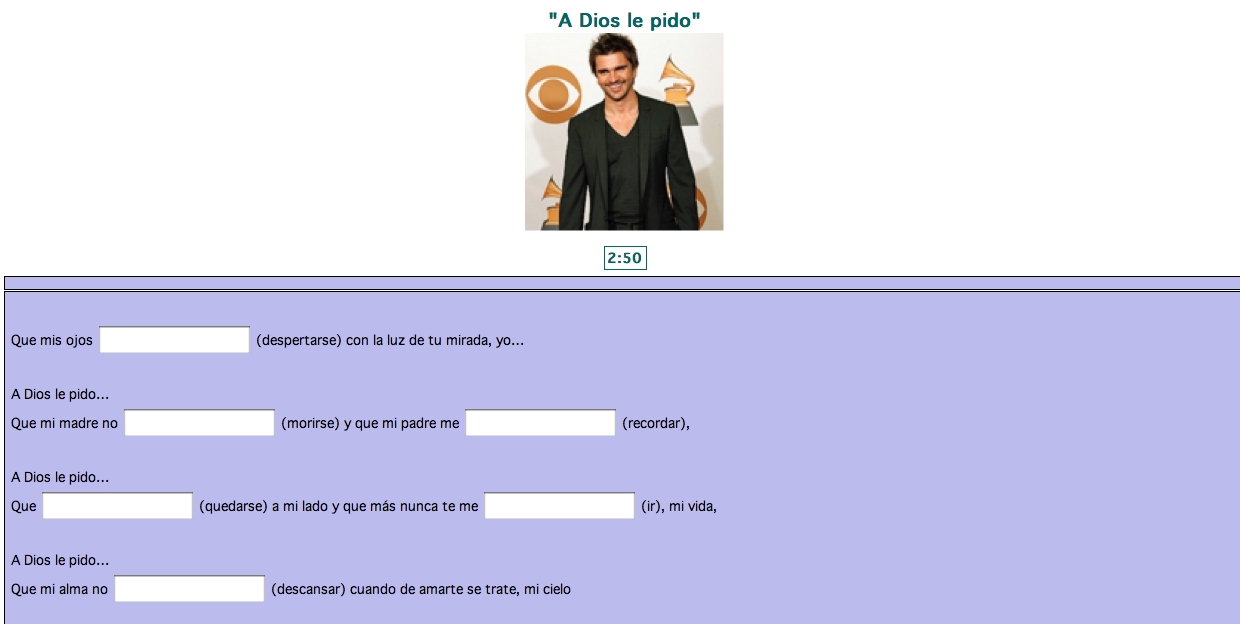
Click here to practice the conjugation of the present subjunctive with the lyrics of "A Dios le pido". (A sound file will be added shortly)

Wednesday, October 26, 2011

Yabla: Review of Definite and Indefinite Words

Click here to view the questions for "El puesto de frutas de Javier"

Link: http://youtu.be/VdOmkXtvyIM

Preguntas de conversación:

1. Desde su perspectiva, ¿hay algo nuevo o diferente en el puesto de Javier?

2. ¿Conoce usted algún puesto de frutas aquí en Boulder o en su ciudad natal? ¿Lo visita con frecuencia? ¿Por qué?

3. ¿Siempre compra su fruta de la misma tienda o mercado? o, ¿la compra de cualquier mercado?

4. ¿Pone usted alguna otra cosa en su fruta (tal vez en la toronja)?

5. ¿Qué fruta o verdura jamás va a comer en su vida? ¿Por qué?

Hot Potatoes: Reflexive Pronouns Review

Click here to access the Hot Potatoes activity for review of the Reflexive Pronouns:

Wednesday, October 5, 2011

Mobile Language Learning, October 5th

This week Edwige and I will be presenting the FLTP workshop on Mobile Language Learning.

El Corte Ingles has two great
free apps for iPhone/iPad
As we see everyday, the average CU student spends a great deal of time on their cell phone and other mobile devices. A recent survey that ALTEC conducted found that 69.6% of CU students reported owning a smartphone. As teachers, our typical response to this behavior is to admonish the student. But what if instead, we could redirect this affinity that our students show for their mobile devices and leverage these devices for language learning?

ALTEC suggestions for improved mobile language learning:
     - App List 
     - Mobile Language Learning Presentation
     - A Mobile Class Activity for Spanish

*Also, look out for the app list posters that will soon be available for students to view in ALTEC's multimedia library in Hellems 159.